Already Using Zoho Books? Plug In an AI Auditor & GCC Tax Engine in Minutes.
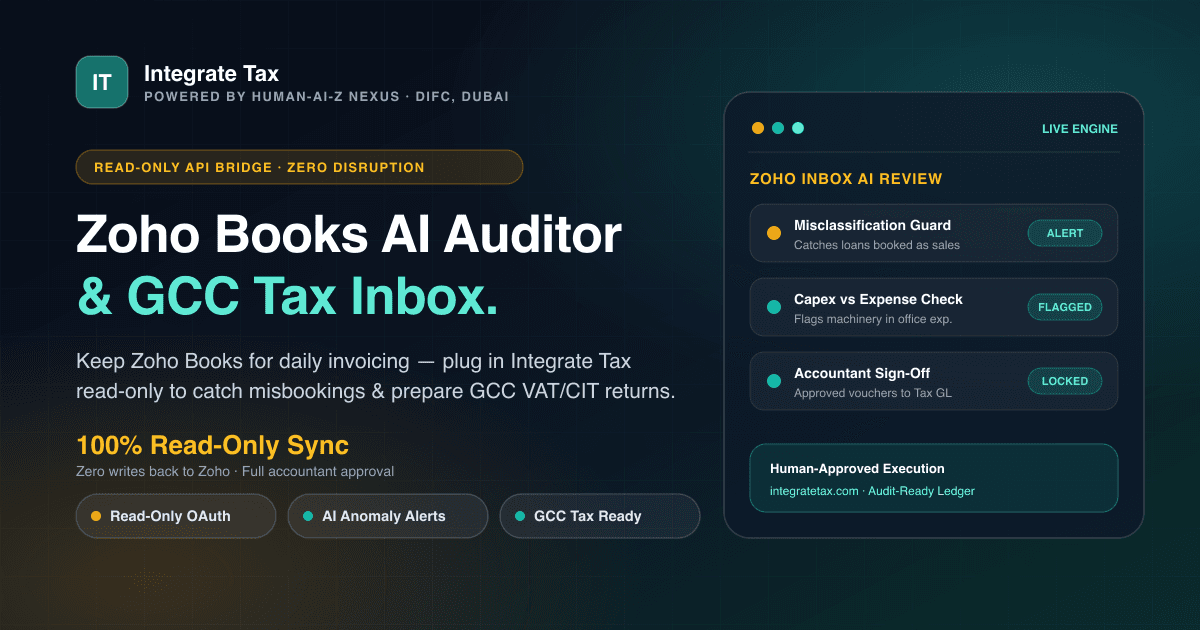
Your sales and operations team does not need to switch software on Day 1. Integrate Tax connects to Zoho Books with strict READ-ONLY access, pulls every invoice, bill, payment, credit note, expense, and journal into Zoho Inbox, flags misclassifications automatically, and waits for your accountant’s approval before posting.
- Read-Only
- Never modifies or overwrites your Zoho Books data
- AI Findings
- Flags misbooked loans, assets & VAT codes instantly
- 100% Approved
- Nothing enters your tax books without human sign-off
Why fast-growing GCC businesses add Integrate Tax on top of Zoho Books
Zoho Books is popular for day-to-day invoicing — but junior data entry mistakes, missing GCC forensic tax checks, and IFRS/multi-entity limits often show up only at quarter-end or tax audit time.
Catching Misclassified Entries
Errors like a bank loan booked as Sales or machinery booked as Office Supplies sit unnoticed until external audit.
Zoho Inbox runs AI review on every collected entry, displays plain-English findings right next to the voucher, and sends optional email alerts to your accountant.
Safety of Your Live Zoho Data
Two-way sync connectors risk creating duplicate contacts, broken invoice numbers, or accidental overwrites.
Integrate Tax requests READ access only. Nothing is ever written back to Zoho Books, and nothing posts into Integrate Tax until an authorized reviewer approves it.
Multi-Country GCC Tax & IFRS
Exporting Zoho reports into Excel to compute UAE Corporate Tax 9%, FTA D13 supplier checks, Oman Form 14, Saudi Zakat, or IFRS 16 leases.
Approved Zoho Inbox entries feed straight into Integrate Tax’s General Ledger, 7-engine forensic tax reconciliation, IFRS 16 schedules, and AI Financial Statements.
Advisory Firm Oversight
Tax consultants log into dozens of separate client Zoho accounts manually each quarter.
Each Zoho organization links cleanly to one isolated ERP company workspace so your firm reviews AI-flagged exceptions across clients from one platform.
One-time setup, continuous AI second-pair-of-eyes review
Connect Once with Read-Only Access
Under Controls → Integrations → Zoho Books, enter your Zoho Organization ID, select your Zoho data centre, and approve strict READ access. Country and currency are validated automatically.
Automatic Collection via Webhook & Schedule
Invoices, bills, payments, credit notes, expenses, and journals saved in Zoho Books flow automatically into Integrate Tax’s Zoho Inbox — zero manual CSV exports.
AI Forensic Findings & Email Alerts
Each incoming Zoho entry is analyzed by the AI engine. Suspicious account mappings, wrong VAT codes, or capital-vs-expense mistakes are highlighted immediately with accountant email alerts.
Human Approval into Tax-Ready Ledger
Your authorized accountant maps, adjusts, and approves verified entries into the General Ledger — keeping full reversal control and audit logs.
Designed for zero-risk adoption by CFOs and accounting firms
Smart Zoho Inbox Controls
- Covers invoices, supplier bills, payments, credit notes, expenses, and manual journals
- One-to-one organization binding prevents cross-company data contamination
- Live AI finding badges next to questionable classifications & VAT codes
- Full refresh, mapping assistant, approval queue, and clean reversal audit trail
Graduate to Full ERP at Your Own Pace
- Start using Integrate Tax purely for AI Audit, VAT 201, Corporate Tax & IFRS statements
- Add FTA Decision 13/2026 verification, WPS SIF payroll, or Gold/POS modules anytime
- Zero migration downtime for your sales staff while finance upgrades compliance immediately
- Ideal wedge for GCC tax firms managing clients who already insist on Zoho Books
Pure software automation — with strict server-side permissions & human sign-off.
- Strict READ-ONLY OAuth connection — zero writes or mutations back to Zoho Books
- Same-country and same-currency enforcement between Zoho organization and ERP tenant
- Mandatory human authorization before any Zoho Inbox item hits the General Ledger
- Clean administrator release workflow if you ever disconnect or move a Zoho organization
Key implementation & compliance answers.
Want to inspect this exact workflow live with our DIFC product team?
Will Integrate Tax change or delete anything inside my Zoho Books account?+
Never. Integrate Tax requests strictly READ-ONLY access from Zoho Books. Nothing is written back to Zoho, and entries collected into Zoho Inbox never post into your Integrate Tax General Ledger until an authorized user approves them.
What kind of accounting mistakes does the Zoho Inbox AI catch?+
The AI reviews account classifications, descriptions, and VAT treatment to flag real-world bookkeeping errors — such as a bank loan mistakenly booked as Sales, fixed-asset machinery expensed as office supplies, or inconsistent tax codes.
Can one Zoho organization accidentally sync into two different ERP companies?+
No. Integrate Tax enforces strict one-to-one binding per Zoho Organization ID and verifies that both organizations share the same country and currency.
Can accounting firms use Zoho Inbox across multiple SME clients?+
Yes. Advisory practices can connect each client’s Zoho Books account into that client’s own isolated Integrate Tax workspace so partners review AI-flagged exceptions and prepare GCC tax returns centrally.
Gold & Jewellery ERP
Purpose-built ERP for UAE & GCC jewellers: AED 55,000 goAML DPMSR cash compliance, karat/purity stock, scrap exchange & Tourist VAT refunds.
AI Invoice Mailbox
Forward Arabic or English supplier bills to an email inbox. AI separates purchases vs sales, blocks wrong sister-company invoices, and drafts balanced vouchers.
Saudi ZATCA & Zakat
Saudi ZATCA Phase 2 clearance, VAT 15%, WHT returns, Zakat Form 10 Excel export with mixed-ownership splits, and HRSD/SAMA WPS payroll.