Catch Every Tax Error Before Filing — and Turn Any Trial Balance Into Full IFRS Financials.
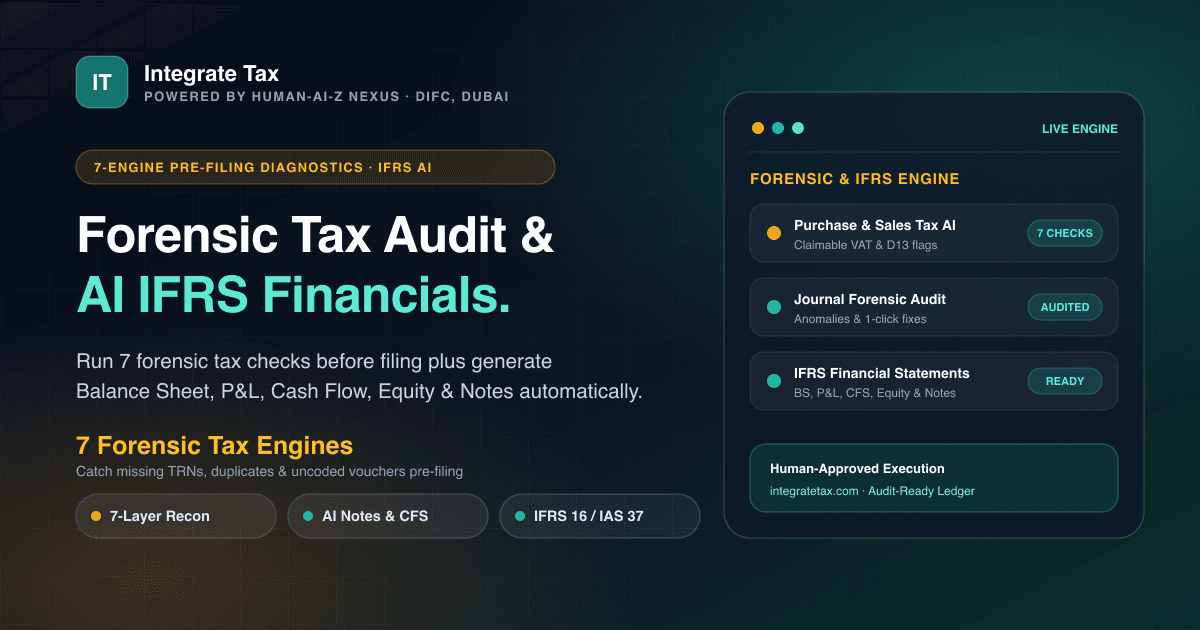
Integrate Tax runs 7 specialized forensic tax reconciliation engines alongside Journal Forensic Audit before you submit any return. Then our AI Financial Statement classifiers map your Trial Balance into Balance Sheet, P&L, Cash Flow, Statement of Changes in Equity, Notes to Accounts, and an automated AI Financial Review.
- 7 Engines
- Dedicated purchase, sales, TRN, mapping & forensic checks
- 5 Statements
- BS, P&L, Cash Flow, Equity & Notes generated by AI
- 1-Click Fix
- Human-approved AI adjustment & reclassification workflow
Why manual quarter-end reviews miss costly tax and IFRS errors
Sampling 20 invoices in Excel cannot catch every missing TRN, uncoded voucher, duplicate supplier bill, or misclassified balance sheet note across thousands of ledger rows.
Pre-Filing VAT & Corporate Tax Audit
Manual spot-checks in spreadsheets right before the filing deadline.
7 dedicated forensic engines inspect 100% of Purchase Tax, Sales Tax, Claimable Input VAT (including UAE FTA D13), Party TRNs, GL Mapping, Uncoded Vouchers, and Forensic Reports.
Journal & Trial Balance Anomalies
Errors hidden deep in manual journals surface only during external audit.
Journal Forensic Audit scans posting patterns and anomalies, recommending exact adjustments that apply cleanly only after human review.
IFRS Financial Statements & Notes
Weeks spent linking Excel Trial Balances into Word/Excel templates for Cash Flow, Equity, and Notes.
Specialized AI classifiers generate Balance Sheet, P&L, Cash Flow, Statement of Changes in Equity, Notes to Accounts (with Note Realignment), and an AI Financial Review.
IFRS 16 Leases & IAS 37 Provisions
Fragile standalone lease amortization and provision spreadsheets prone to formula errors.
Native IFRS 16 right-of-use asset/liability schedules and IAS 37 provisions post directly into your monthly General Ledger.
Full-population audit coverage before every filing and close
Run All 7 Forensic Tax Reconciliation Engines
Inspect Purchase Tax, Sales Tax, Claimable Input VAT, Party TRN completeness, Tax-to-GL Mapping Health, Uncoded Vouchers, and generate the Forensic Report.
Review Journal Forensic Findings & Apply Fixes
Inspect AI-flagged journal anomalies and execute controlled, reversible adjustments only with explicit accountant approval.
Classify Financial Statements & Notes with AI
Run parallel Trial Balance matching and AI classifiers for BS, P&L, Cash Flow, Equity, Notes to Accounts, and Corporate Tax Impact.
Run AI Financial Review & Lock Period
Review executive AI diagnostic checks across the complete financial pack, lock classifications, and export audit-ready working papers.
Engineered for CFOs, Financial Controllers & Audit Firms
7-Engine Forensic Tax & Journal Suite
- Comprehensive Purchase Tax & Sales Tax AI validation across 100% of vouchers
- Claimable Input VAT verification (including UAE FTA Decision 13/2026 exposure flags)
- Party TRN audit, Tax-to-GL Mapping Health & Uncoded Voucher detector
- Journal Forensic Audit with controlled human-approved fix/adjustment engine
AI IFRS Statements, Notes & Standards
- AI classifiers for Balance Sheet, P&L, Cash Flow, Statement of Changes in Equity & Notes
- AI Note Realignment & Classification Locks to preserve auditor-approved groupings
- Automated AI Financial Review flagging unusual movements and presentation gaps
- Built-in IFRS 16 leases, IAS 37 provisions & IAS 2 inventory valuation
Pure software automation — with strict server-side permissions & human sign-off.
- Strict read-only diagnostics separated from ledger mutations — zero unapproved auto-posting
- Classification locks preserve approved financial statement groupings across audit cycles
- Tamper-evident audit logs with cryptographic log-integrity verification
- Full traceability from every financial statement line and tax box down to the source voucher PDF
Key implementation & compliance answers.
Want to inspect this exact workflow live with our DIFC product team?
Does the AI edit my posted vouchers automatically when it finds a tax error?+
Never. Every forensic finding is presented with exact voucher references and a clear explanation. Adjustments or fixes execute only when an authorized accountant reviews and clicks approve.
Can we import a Trial Balance from another accounting system to generate IFRS Financials?+
Yes. Parallel AI Trial Balance matching and Chart of Accounts imports let advisory firms and CFOs onboard historical books rapidly and run full IFRS statement classification and AI Financial Review.
Which financial statements does the AI Financial Suite generate?+
Dedicated classifiers generate Balance Sheet, Profit & Loss, Statement of Cash Flows, Statement of Changes in Equity, Notes to Accounts, and Corporate Tax Impact schedules.
GCC WPS & Payroll ERP
Generate bank-ready WPS salary files for UAE (EDR/SCR), Saudi Arabia (HRSD TAB) & Oman (CBO CSV) plus Bahrain SIO, Oman SPF, Saudi GOSI & GL posting.
Shopify & POS ERP
Pull paid Shopify orders automatically (hourly or daily with deduplication) alongside fast retail POS terminals synced directly to inventory, COGS & GCC VAT.
UAE Tax & FTA D13
UAE Corporate Tax 9%, FTA VAT 201, FTA Decision 13/2026 supplier verification, and UAE WPS SIF payroll in one live ledger.